Pickup costs 2.0
Calculate collection costs when the pickup falls outside your normal operating area.
Live customer booking flow
Test routes, fares, vehicles and booking choices in the same flow your customers can use.
New feature
Create a more complete customer journey without retyping the booking into a separate invoice document. Taxi Booking Script can send a professional invoice automatically or let your team create it later.
Multilingual booking journey
Enable the languages that match your service area and customer base.
Online and offline payments
Mollie, bank transfer and cash are currently enabled in our test demo. Your system also includes PayPal, Authorize.Net, PayPal Express Checkout, 2Checkout, Stripe, Skrill and Braintree, which can be activated after adding the required provider account details.
Advanced fare and availability controls
Detailed rules help the online fare match the way your taxi company actually works.
Calculate collection costs when the pickup falls outside your normal operating area.
Add weekend and night surcharges automatically around configured times.
Set fixed weekly closures and control which reservation times can be selected.
Apply a percentage discount when a customer books a return journey.
Use the vehicle pencil control to configure a fixed route price for each vehicle and the required direction.
Account for configured payment transaction costs within the booking flow.
The system checks postcode pricing first, then a matching city-to-city fare and finally the configured kilometre price.
Compare the online calculated fare with the taxi meter price to support clearer pricing and testing.
Every vehicle can have its own base, kilometre or fixed-route price. Applicable surcharges are added to the selected base fare.
Dashboard and booking form
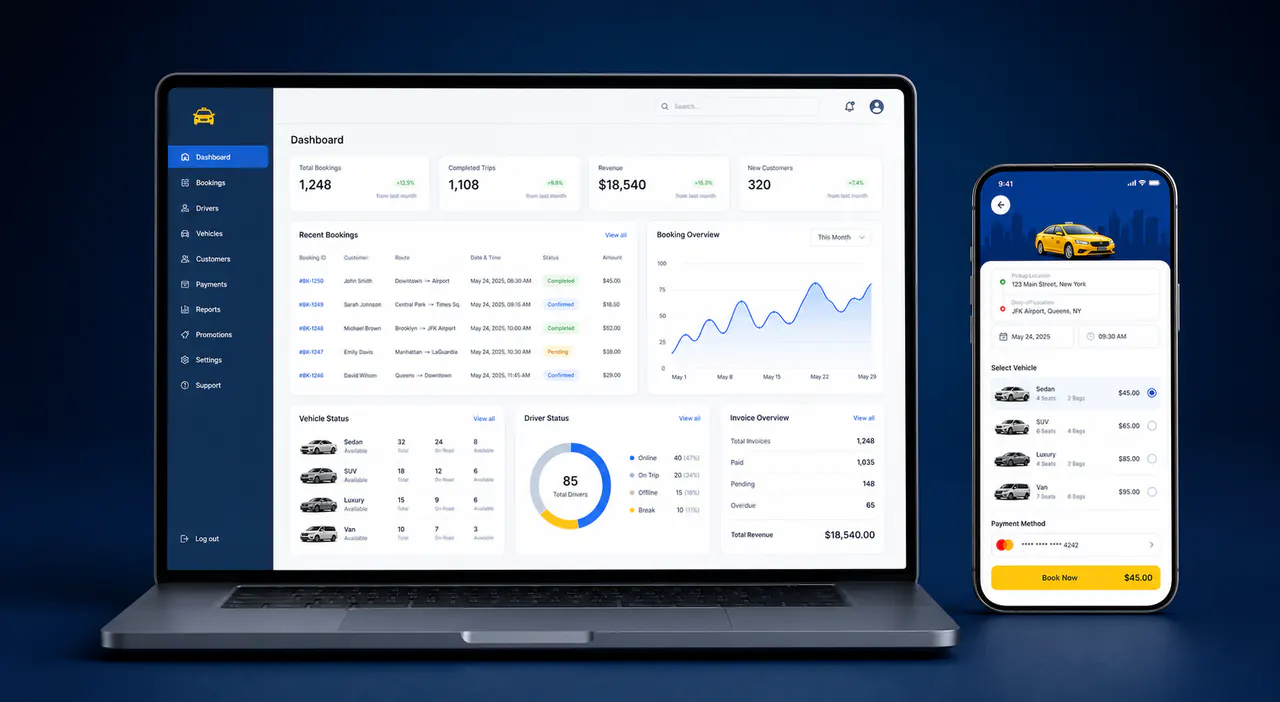
The administration dashboard keeps bookings, vehicles, pricing, notifications and invoices together. The responsive booking form gives passengers a clear reservation flow on phones and larger screens.
Daily operations
The administration dashboard helps your team understand demand, plan journeys and share the right information.
Version 9.5 administration
The administration area combines day-to-day booking work with form, security and connection settings.
Maintain cities and postcode information used around your booking configuration.
Keep customer records organised and add extra booking options where required.
See today, yesterday, tomorrow and monthly revenue cards on the dashboard.
Manage unavailable periods and date-based high-season rate adjustments.
Configure protection settings for administration and customer-facing forms.
Preview multiple front-end themes on desktop, tablet and mobile, with standard or compact integration code.
Airport and return journeys
Airport transfers and return journeys contain more information than a simple one-way ride. The booking flow can collect flight numbers and keep both parts of a return journey clear.
Flight number collection, one combined confirmation for return journeys and separate calendar entries help the company and customer stay organised.